
Press kit

Touch 4 Feel press

Descriptions, fact sheets, icons and screenshots for writing about our apps. Everything here is free to use in coverage, reviews and roundups.

Tendril app icon

Tendril: Bloom Pomodoro Timer

Focus, Study & Concentration

A flower grows while you focus. Leave the app, and she wilts.

Short description

Tendril is a Pomodoro timer with a stake in it. A seed grows into a bloom while you focus, and every finished session is planted in a garden that shows how your days actually went. Leave early and the flower wilts, or have Screen Time put distracting apps away until she blooms.

About

Tendril is a Pomodoro timer with a stake in it. Start a session, put the phone down, and a seed grows into a bud and then a bloom. Every finished session plants her in your garden and pays dew. Every abandoned one leaves a wilt on the bed. No streak guilt, no lectures: just a garden that shows how your days actually went.

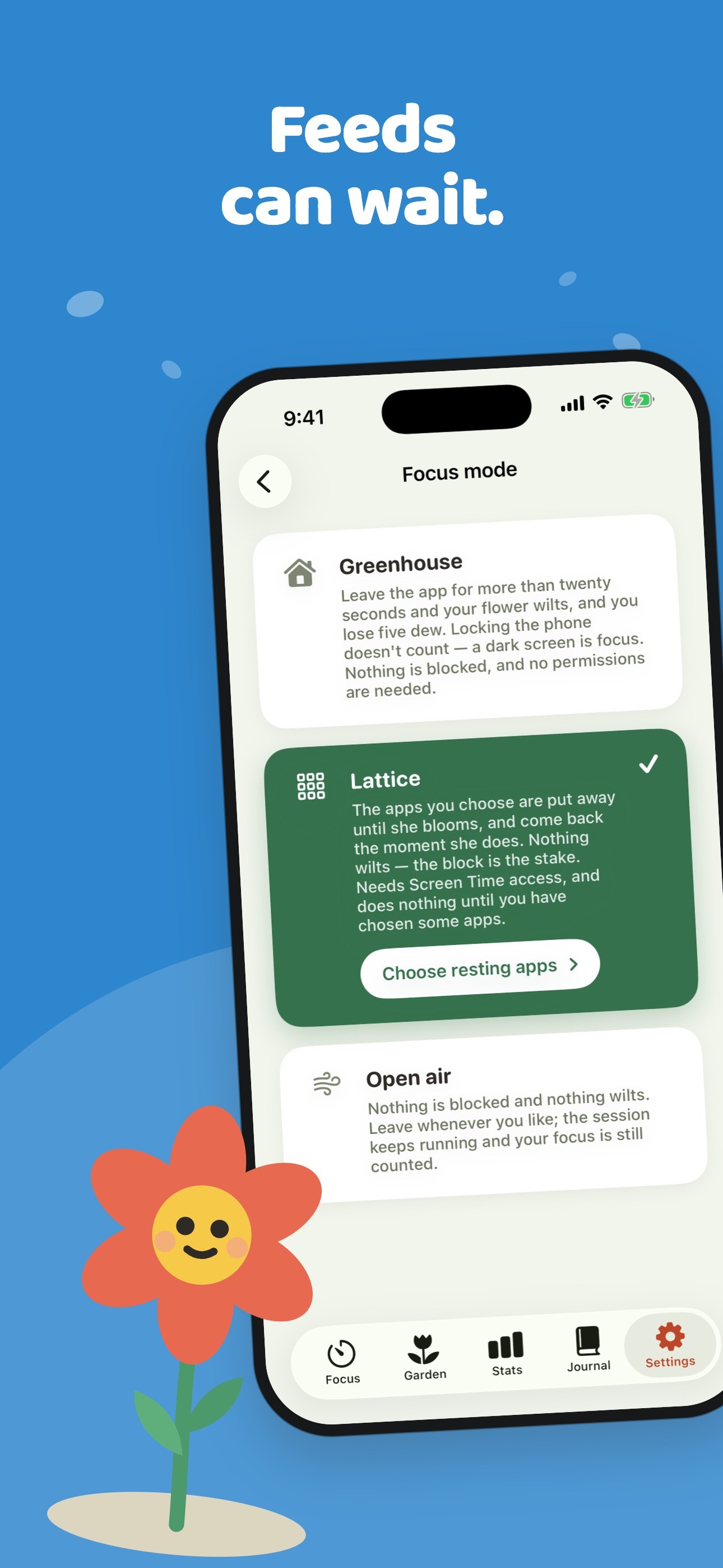
You choose how firm the garden is. Greenhouse is strict: leaving the app wilts your flower. Lattice uses Screen Time to put away the apps you choose until she blooms, so nothing wilts and the block is the stake. Open air is gentle: no blocking, just a record of your focus.

Around the timer are a Live Activity and Dynamic Island countdown, Home Screen widgets, a Control Center button, an Apple Watch app, tags for your hours, and a journal where every session is kept as a pressed flower with its note. Tendril is free with no account; Tendril Pro adds the planner, the full journal, stats charts, every sound and iCloud sync.
Key features

  • Three modes: Greenhouse (leaving wilts the flower), Lattice (Screen Time app blocking) and Open air (just tracking)
  • Pomodoro sessions with rests, or a count-up timer for open-ended work
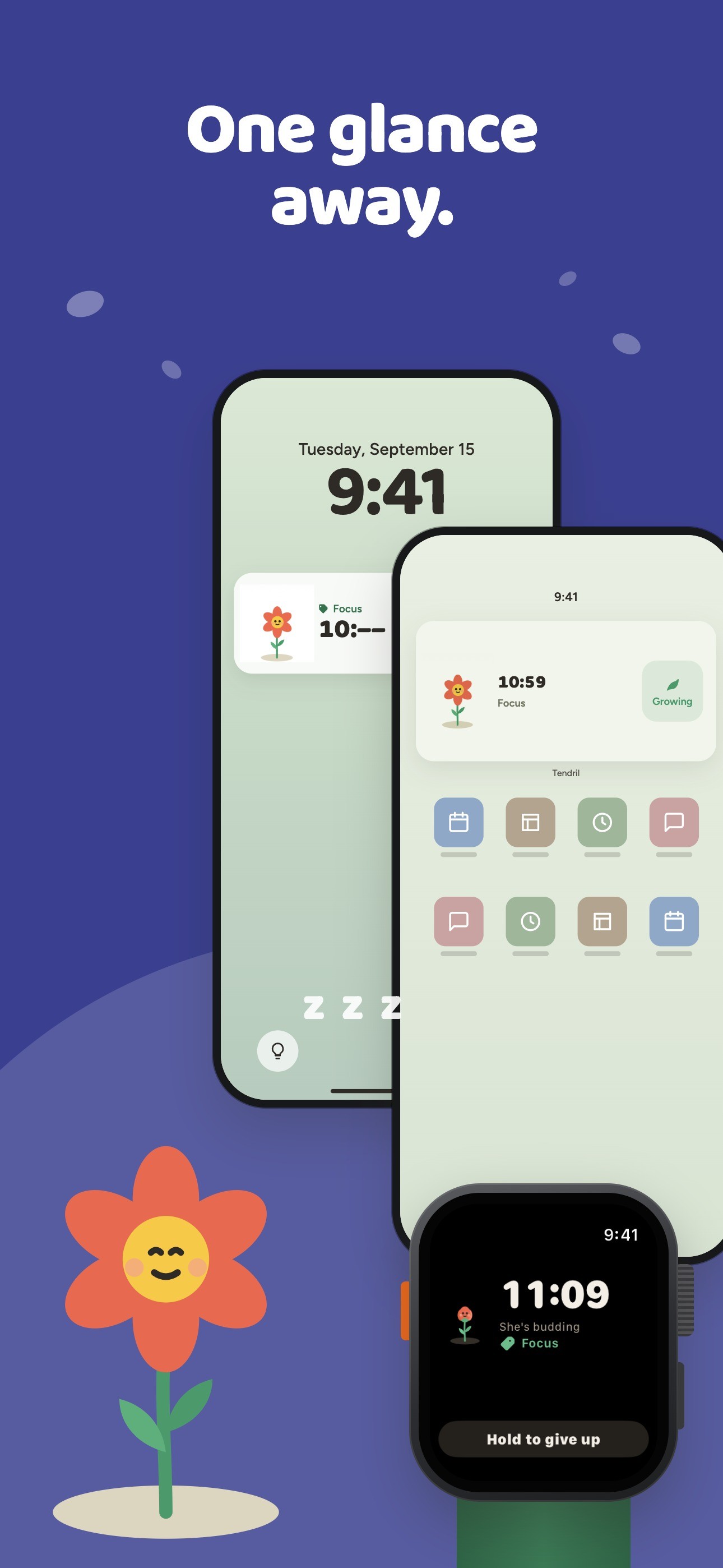
  • Live Activity and Dynamic Island countdown, Home Screen widgets and a Control Center button
  • Apple Watch app with Digital Crown timing and watch-face complications
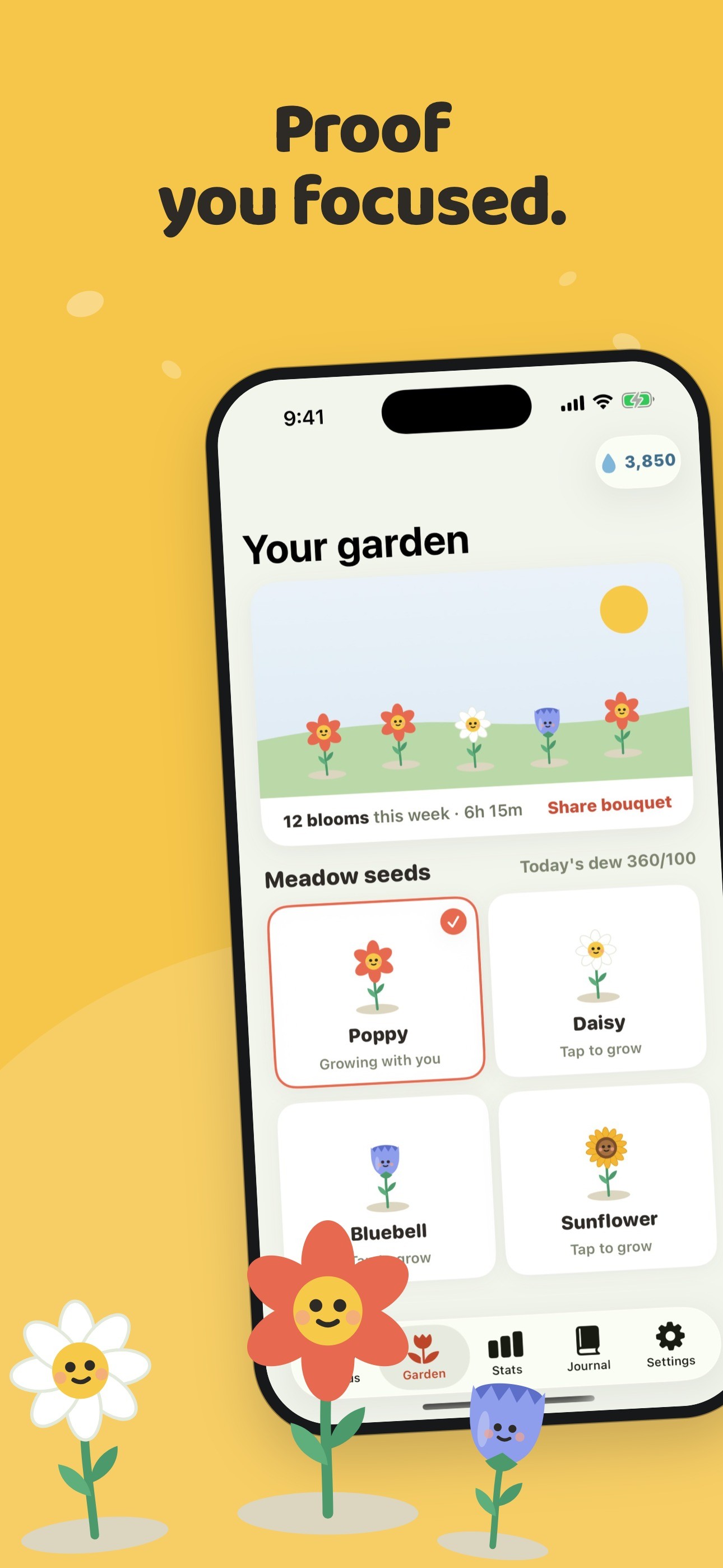
  • A garden of finished sessions, with Poppy, Daisy, Bluebell and Sunflower to grow
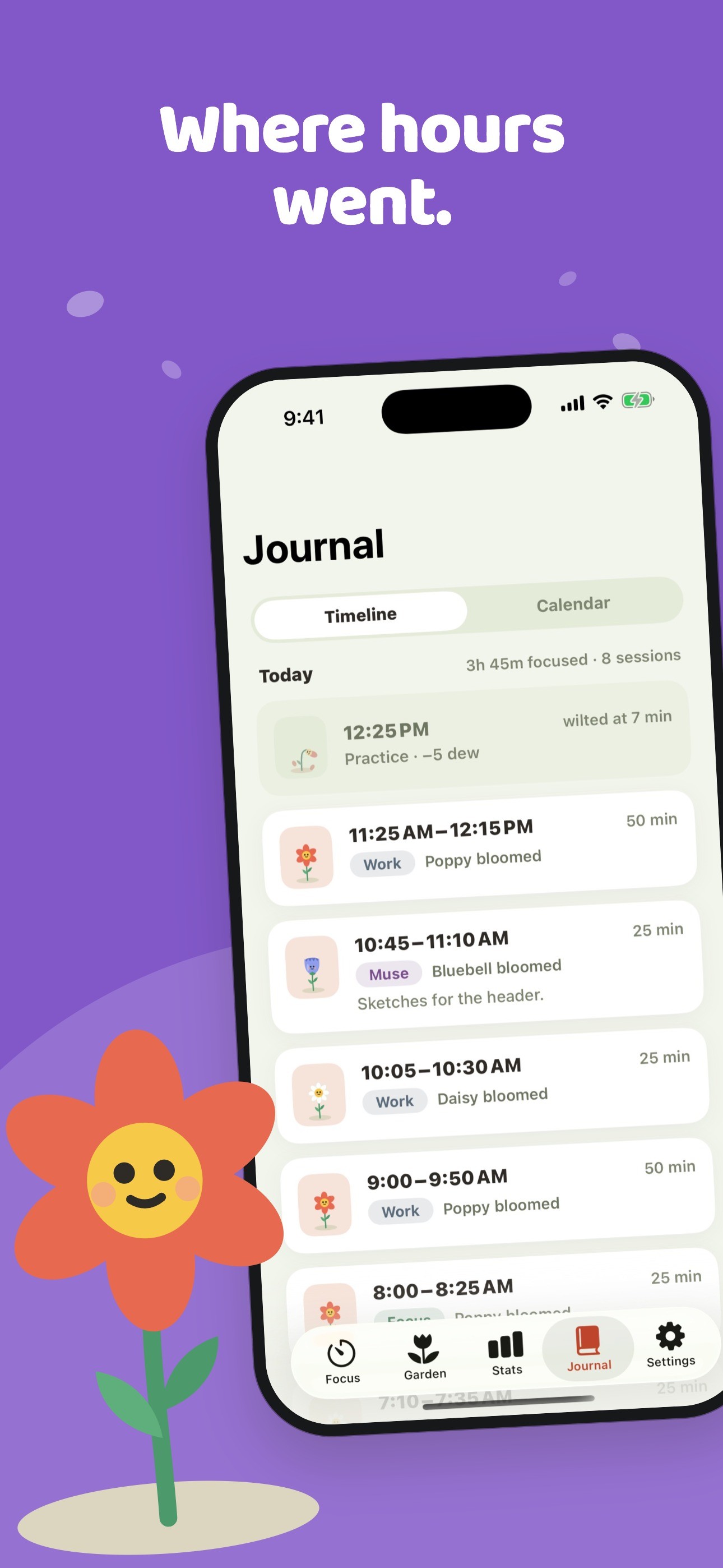
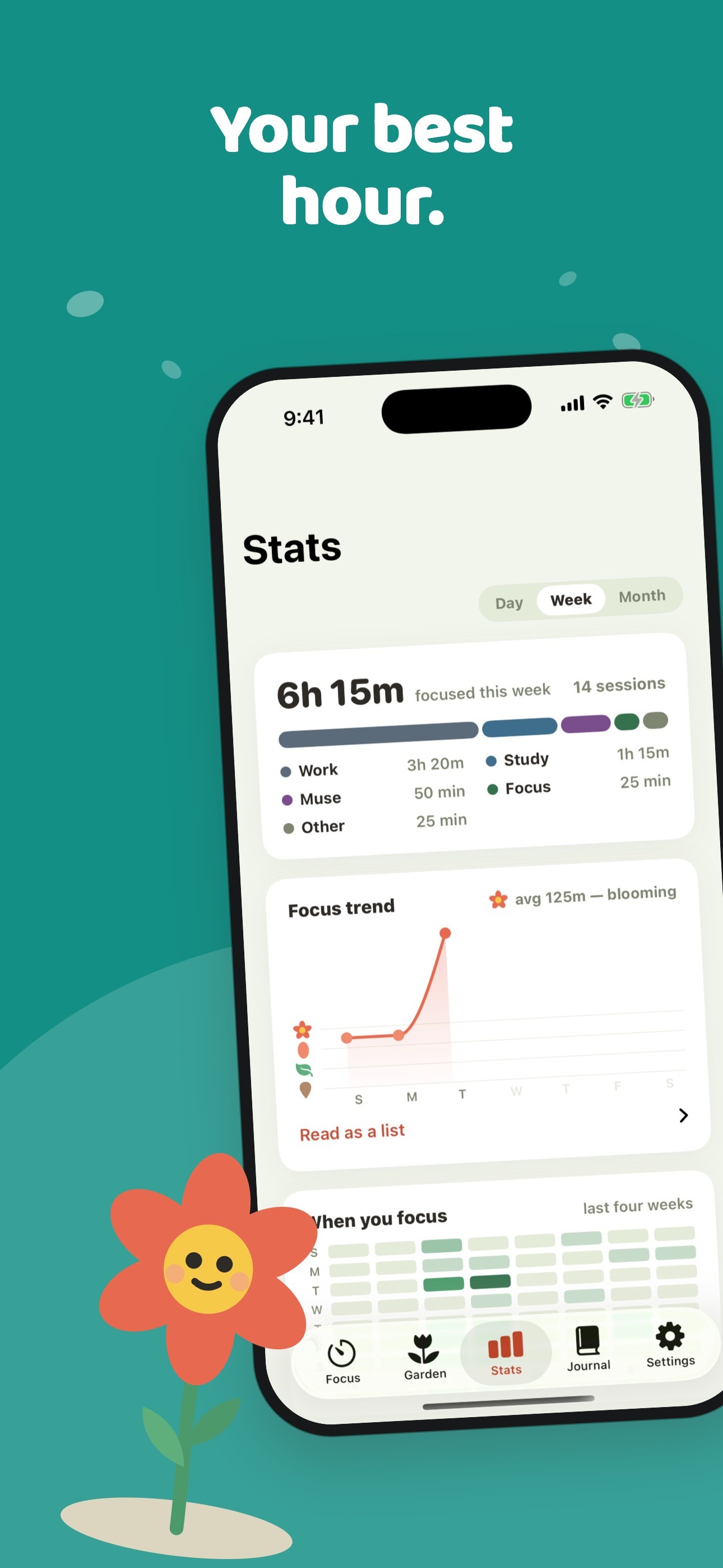
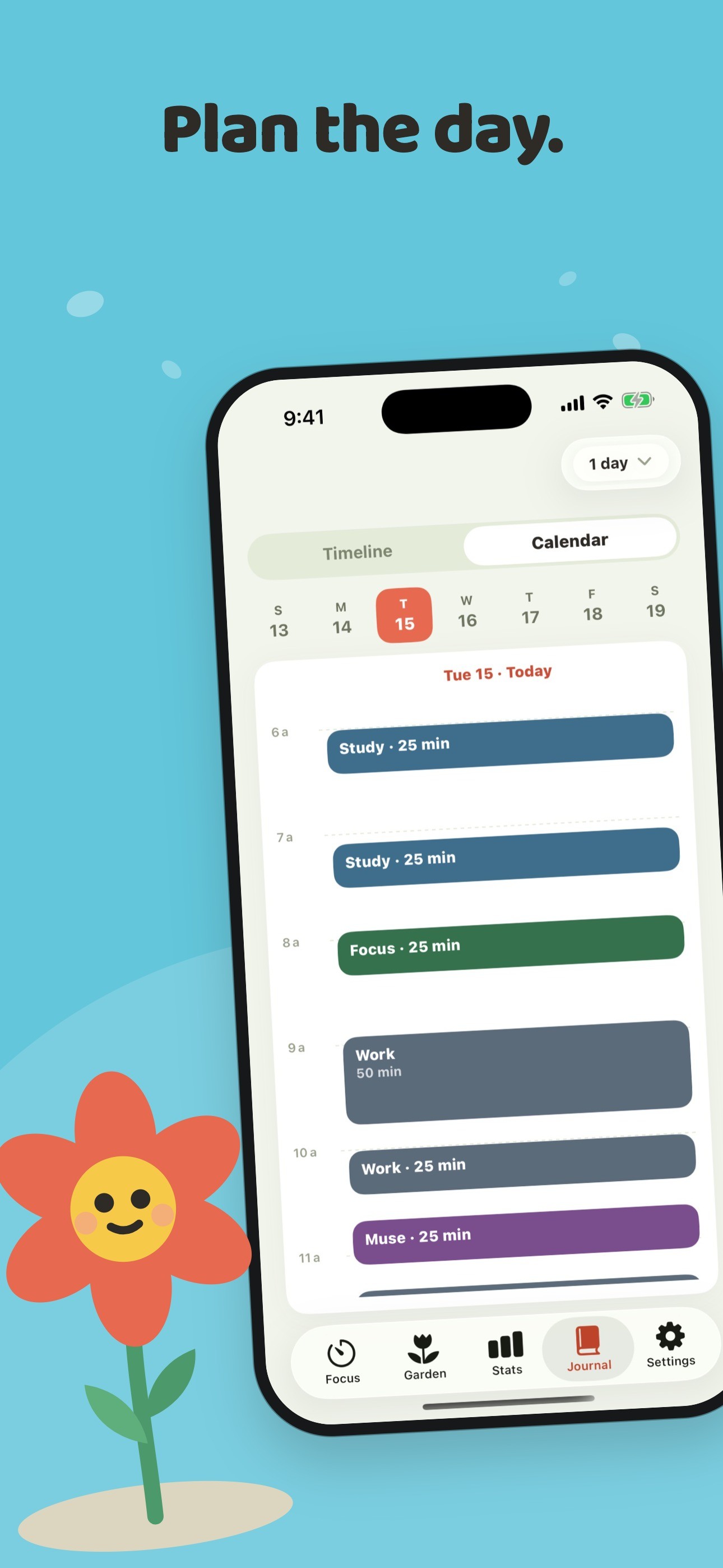
  • Journal of pressed flowers, a planner with reminders, and day, week and month stats
  • Ambient sounds: Meadow rain, plus Campfire, Breeze and Birdsong with Pro
  • Free with no account needed

Screenshots

Tap any image for the full-resolution file.

Icon (1024 px)
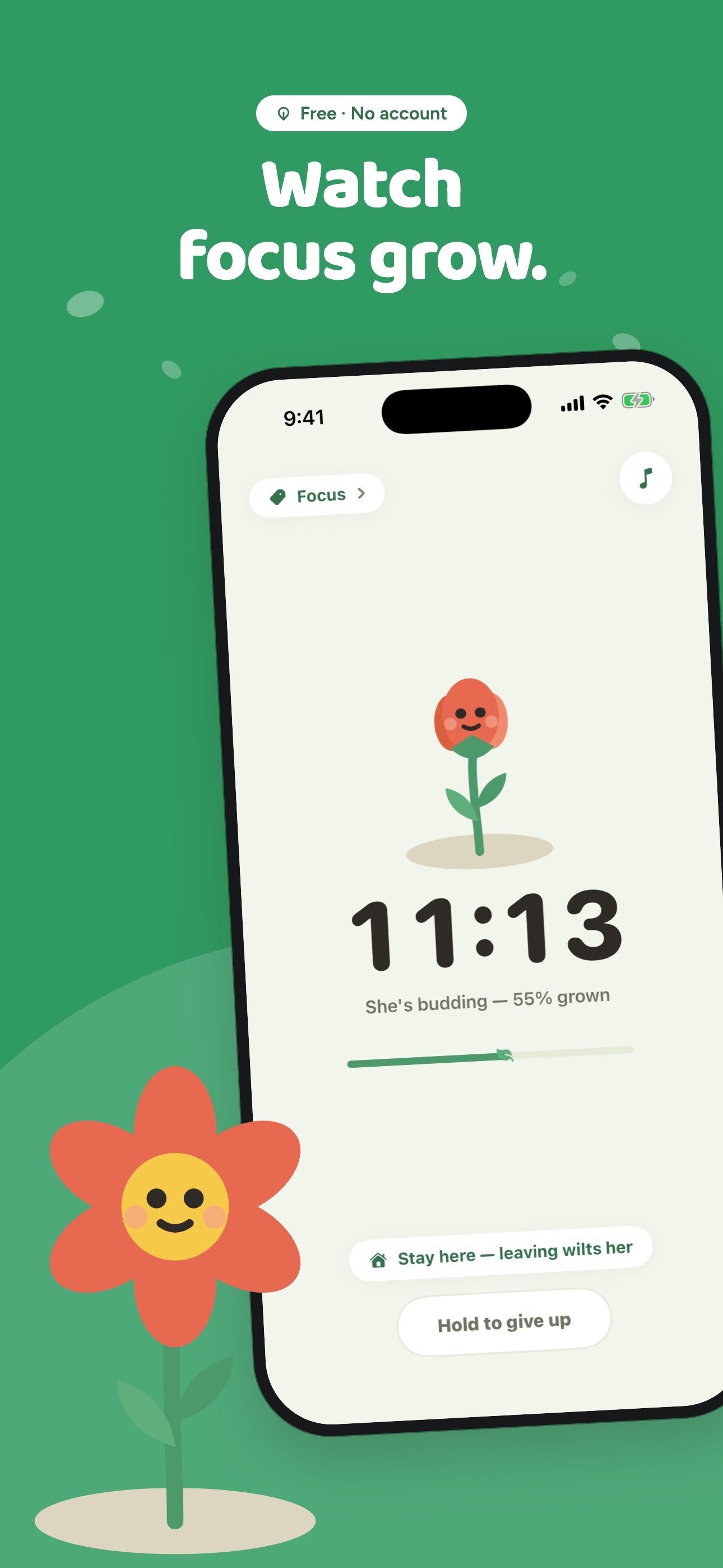
  • Watch focus grow: a flower growing during a session

    Watch focus grow: a flower growing during a session

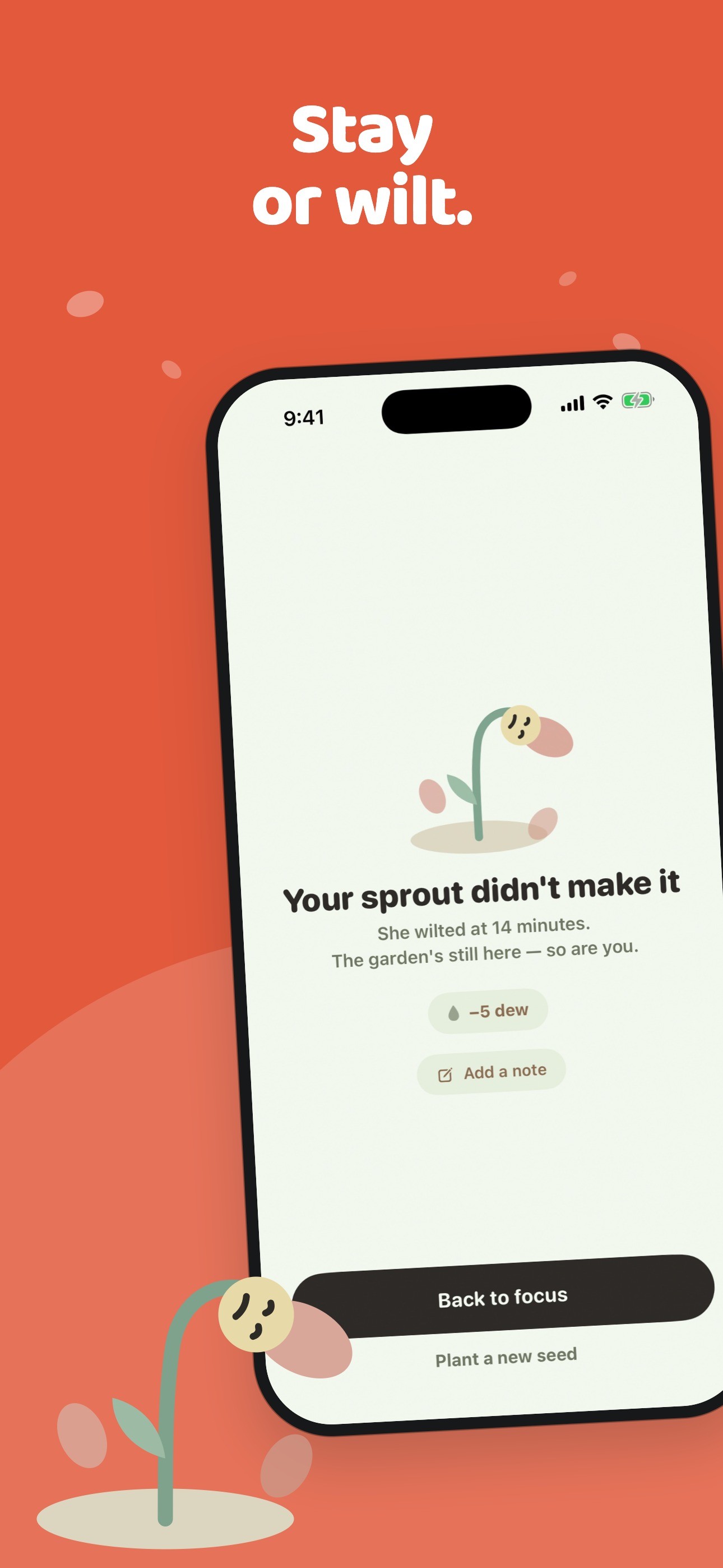
  • Stay or wilt: the flower after leaving a session early

    Stay or wilt: the flower after leaving a session early

  • Proof you focused: the garden of finished sessions

    Proof you focused: the garden of finished sessions

  • Feeds can wait: the Greenhouse, Lattice and Open air modes

    Feeds can wait: the Greenhouse, Lattice and Open air modes

  • One glance away: Lock Screen Live Activity, widgets and Apple Watch

    One glance away: Lock Screen Live Activity, widgets and Apple Watch

  • Where hours went: the journal timeline

    Where hours went: the journal timeline

  • Your best hour: focus stats and trends

    Your best hour: focus stats and trends

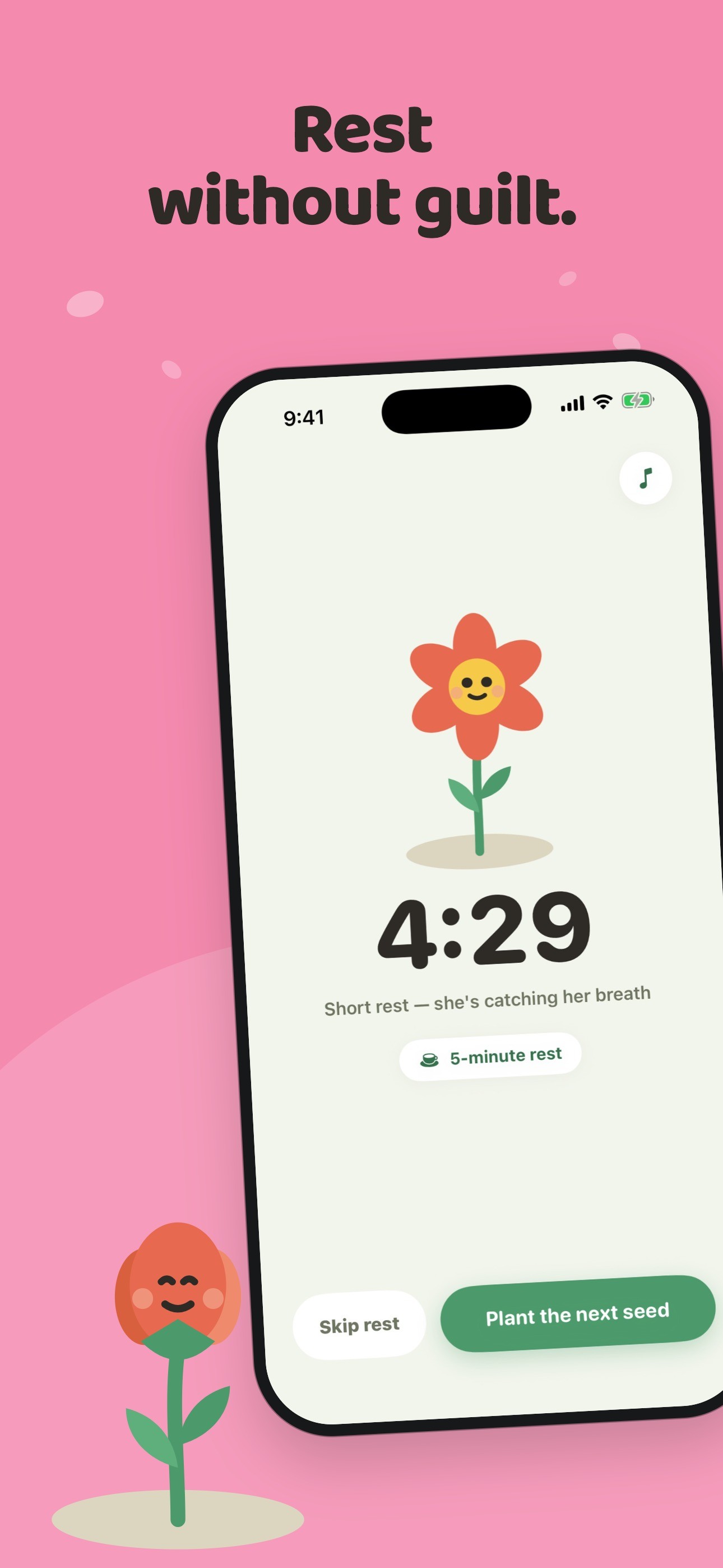
  • Rest without guilt: a short rest between sessions

    Rest without guilt: a short rest between sessions

  • Plan the day: the calendar and planner

    Plan the day: the calendar and planner

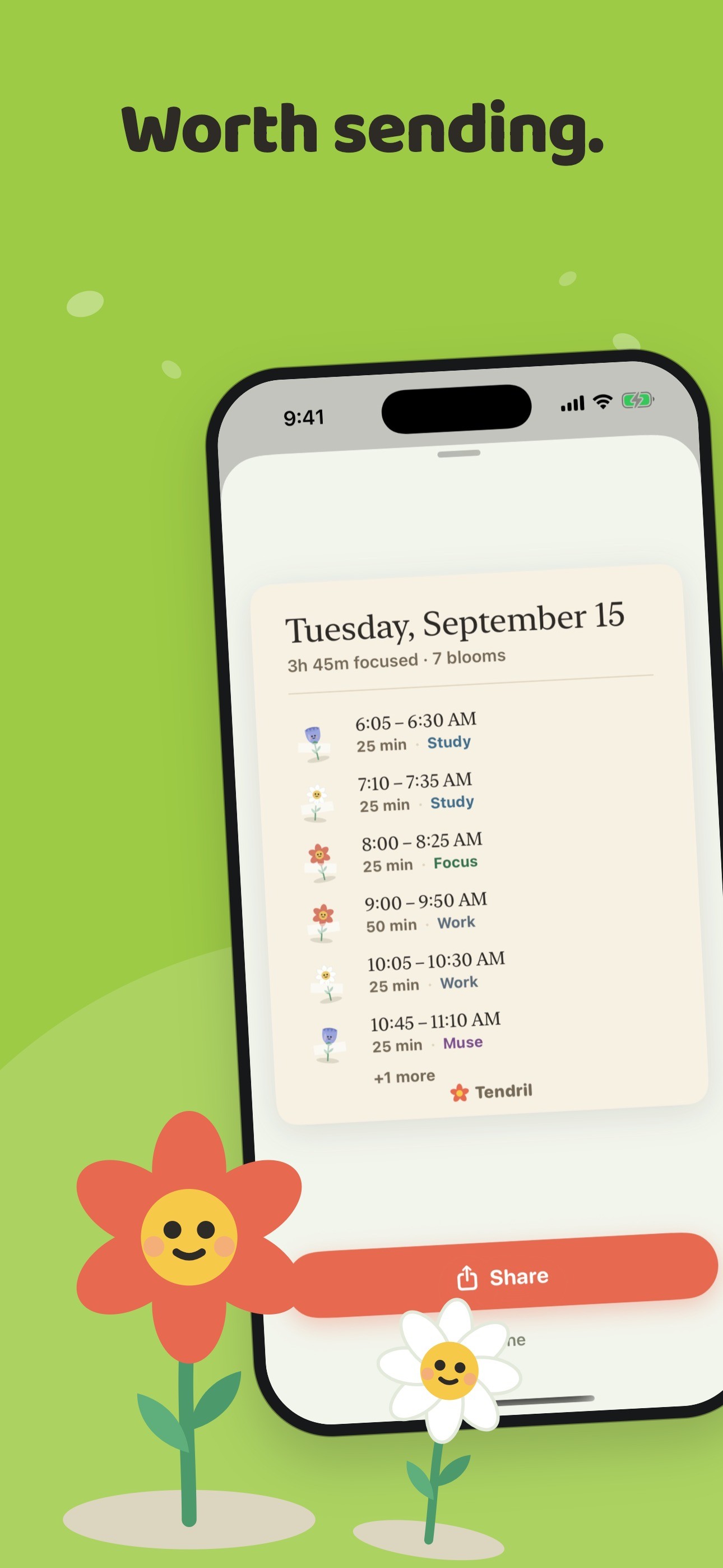
  • Worth sending: a shareable card of a good day

    Worth sending: a shareable card of a good day

LifeMood app icon

Mood Tracker: LifeMood Journal

Reflect, Check-In & Feelings

Some days go wrong and you can’t say why. LifeMood is built to answer that.

Short description

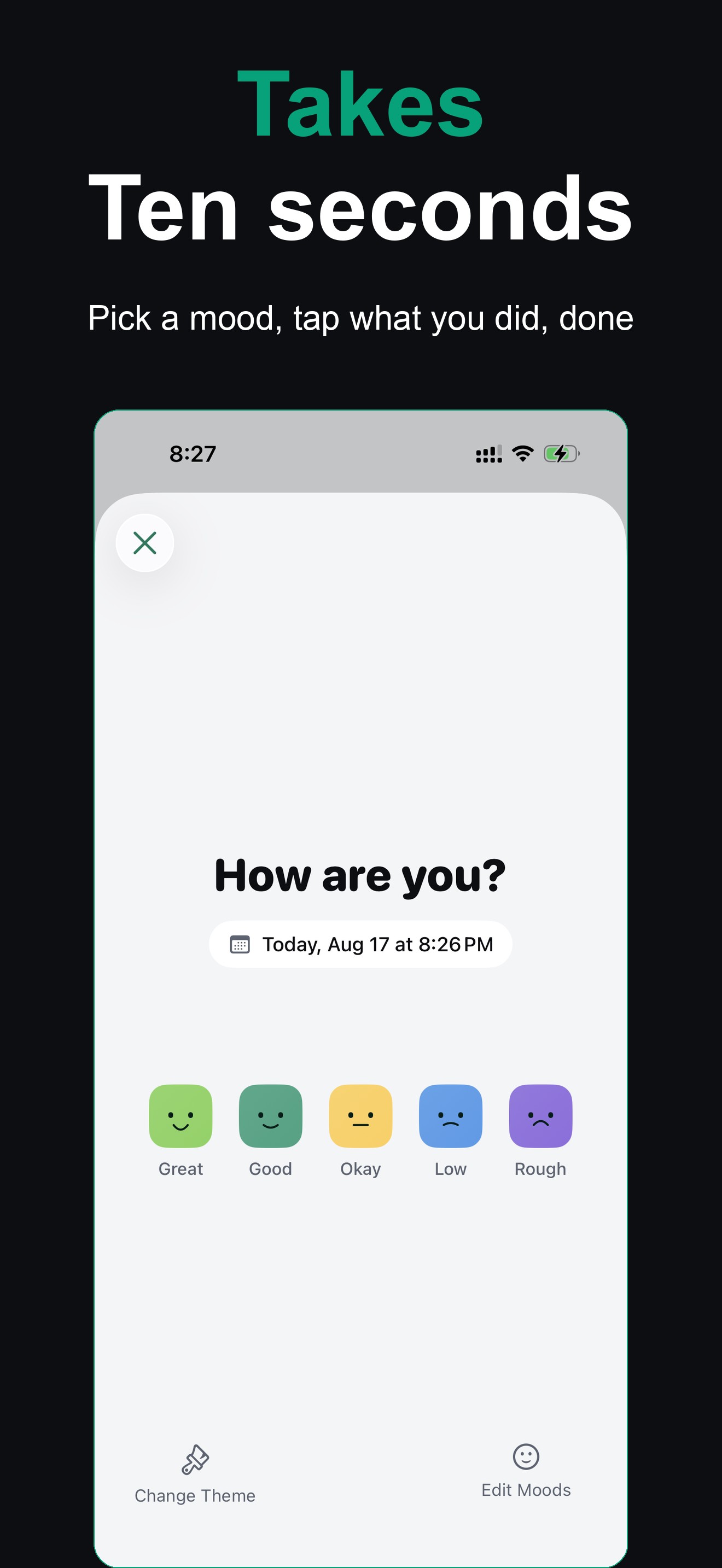
LifeMood is a private mood journal where a check-in takes about ten seconds: pick how you feel and tap what you did. After a few weeks, charts show which activities travel with your best days, which weekday is quietly your worst, and how your mood is trending.

About

Some days go wrong and you can’t say why. LifeMood is a mood tracker built to answer that: pick how you feel, tap what you did, and after a few weeks the pattern you couldn’t see from inside it shows up on a chart.

A check-in takes about ten seconds. When there is more to say, there is room for a note, a voice memo or a photo. LifeMood then reads your own history and tells you which activities travel with your best days, which weekday is quietly your worst, and whether your mood has been steadier this month than last.

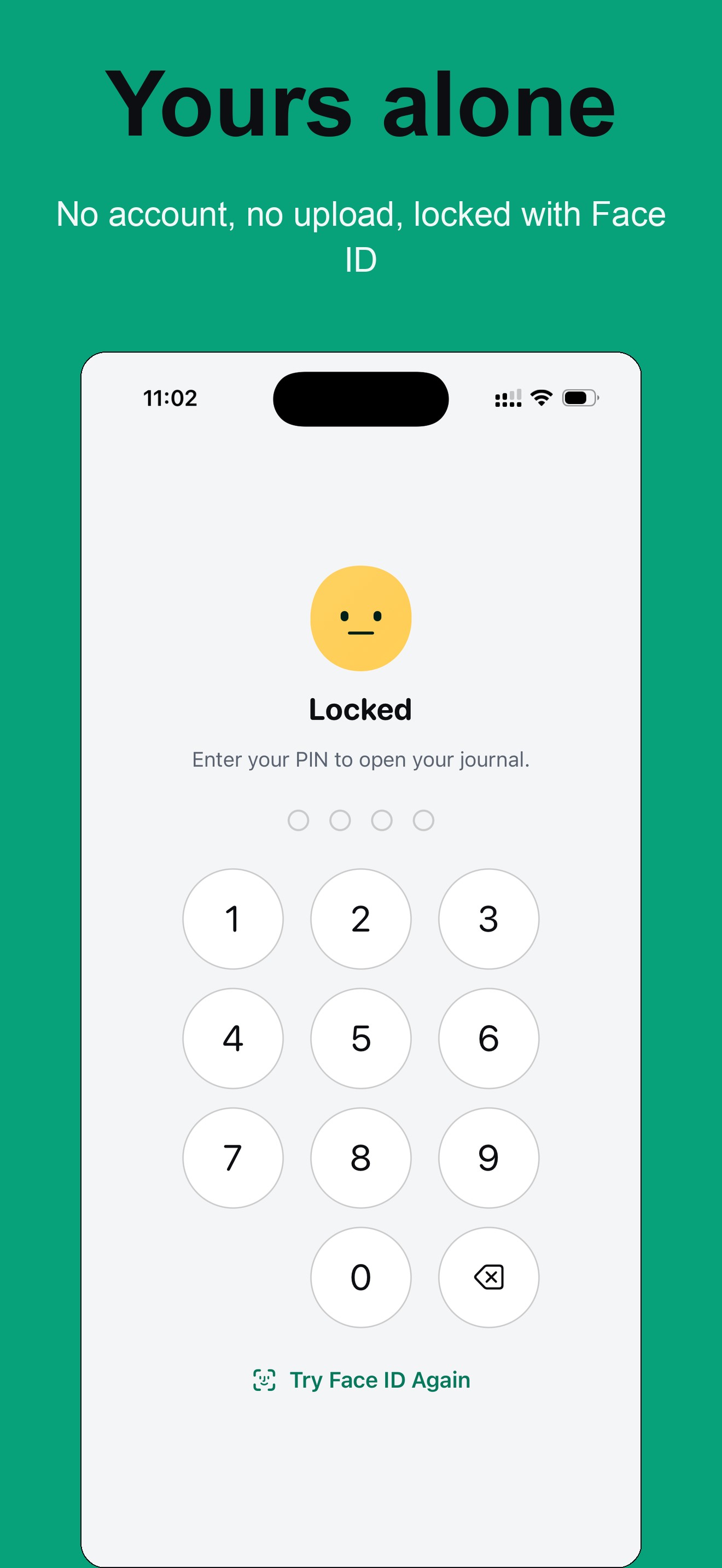
Entries stay on the iPhone. The journal is not uploaded, there is no account to create, and a PIN or Face ID keeps the app shut. For people tracking alongside therapy, any date range exports as a PDF to bring to a session, or as CSV.

Key features

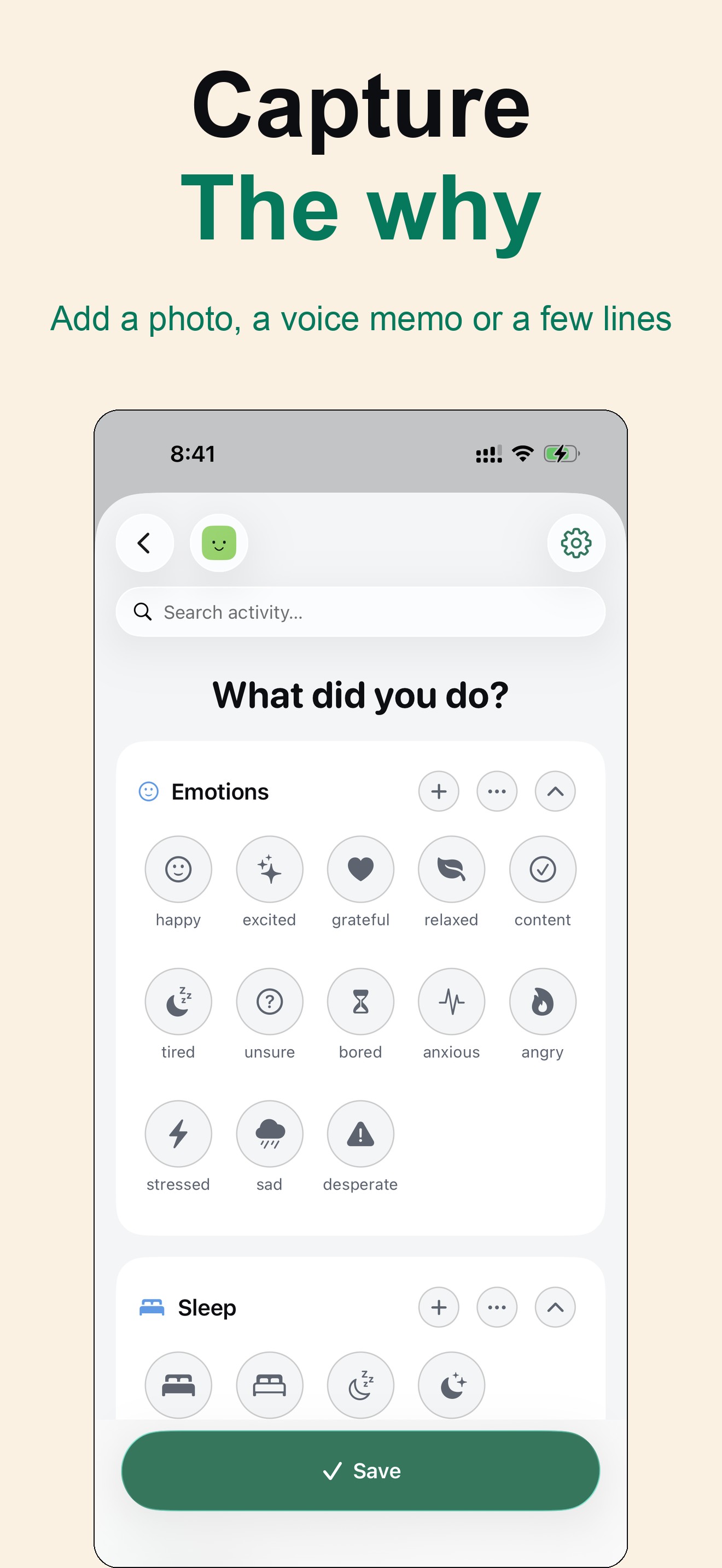
  • Ten-second check-ins: a mood and the activities that filled the day
  • Notes, voice memos and photos on any entry
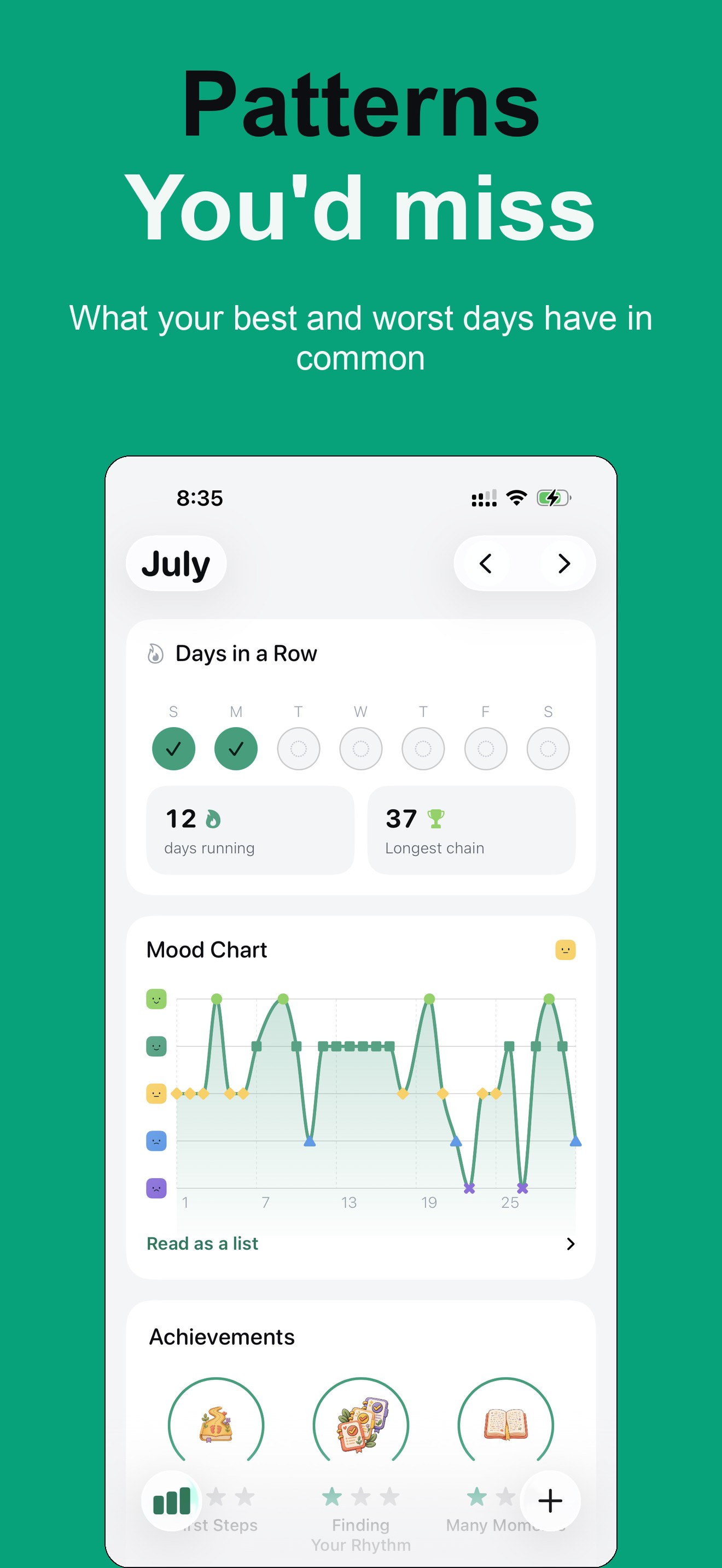
  • Insights on which activities travel with good and bad days, plus Often Together pairings
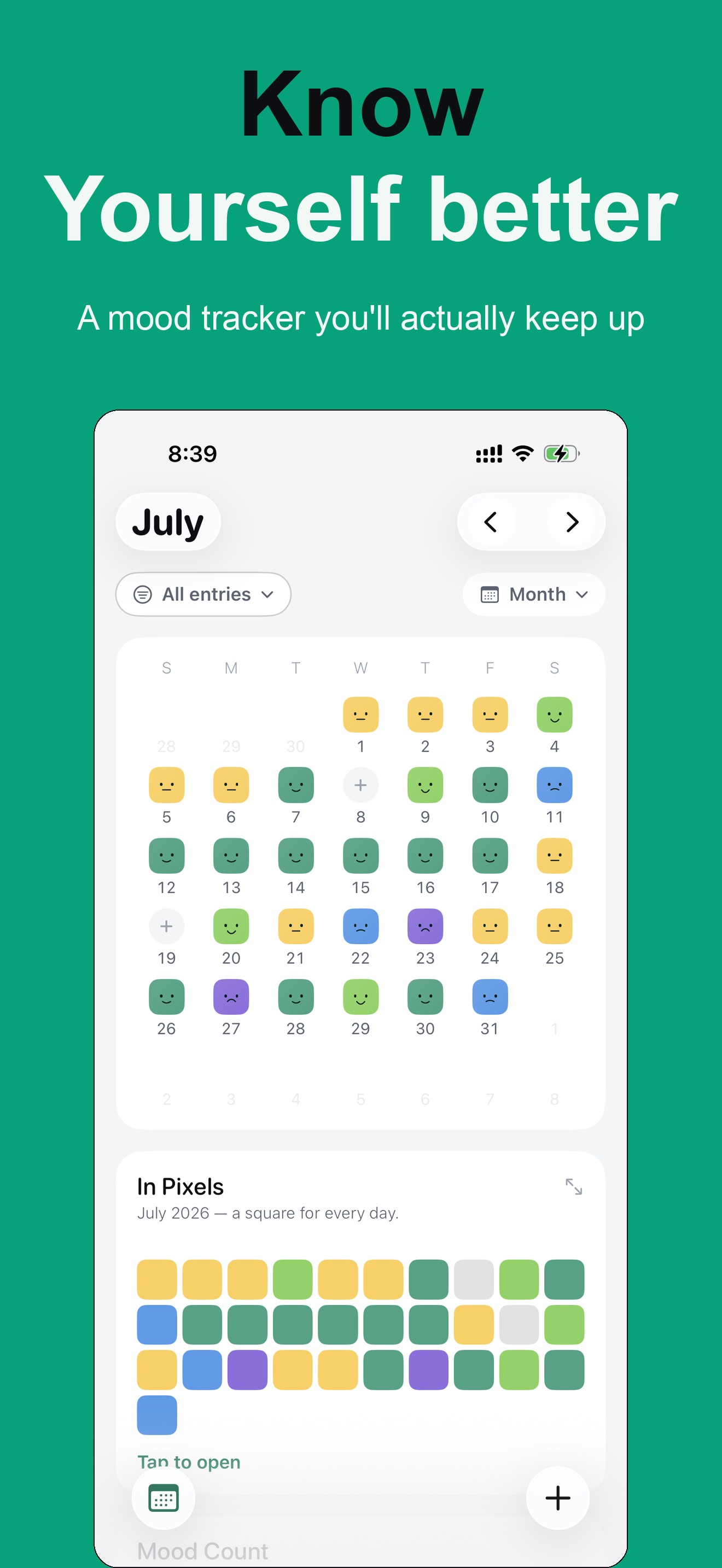
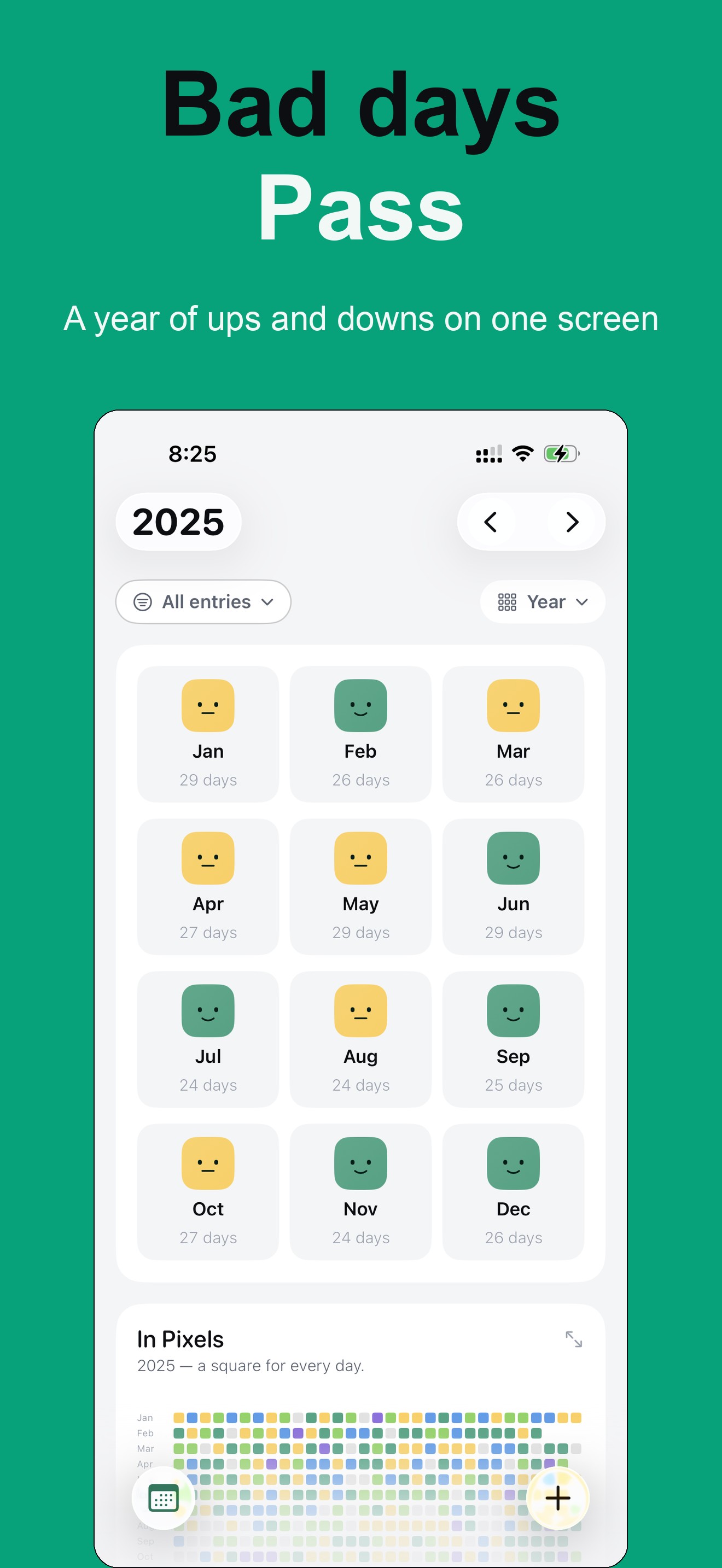
  • Year in Pixels, a mood-colored calendar, and trends for energy, stress, sleep, caffeine and exercise
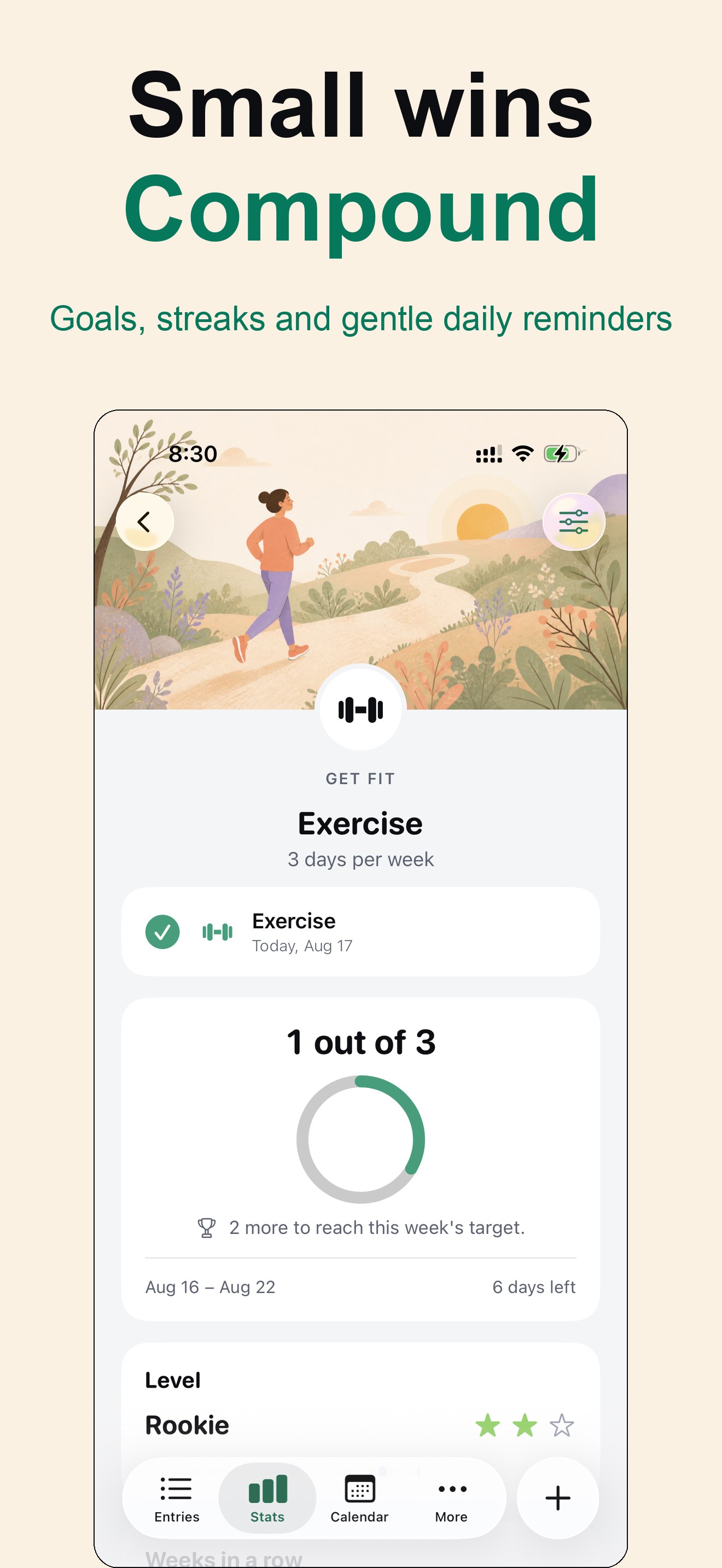
  • Goals, streaks and reminders designed to build the habit without guilt
  • Home Screen widgets, Siri and Shortcuts logging, and Apple Health (new in 1.1)
  • Private by design: stored on device, no account, PIN and Face ID lock
  • PDF and CSV export of any date range

Screenshots

Tap any image for the full-resolution file.

Icon (1024 px)
  • Know yourself better: the mood calendar and Year in Pixels

    Know yourself better: the mood calendar and Year in Pixels

  • Takes ten seconds: the mood check-in

    Takes ten seconds: the mood check-in

  • Capture the why: tagging what you did

    Capture the why: tagging what you did

  • Patterns you’d miss: streaks, the mood chart and achievements

    Patterns you’d miss: streaks, the mood chart and achievements

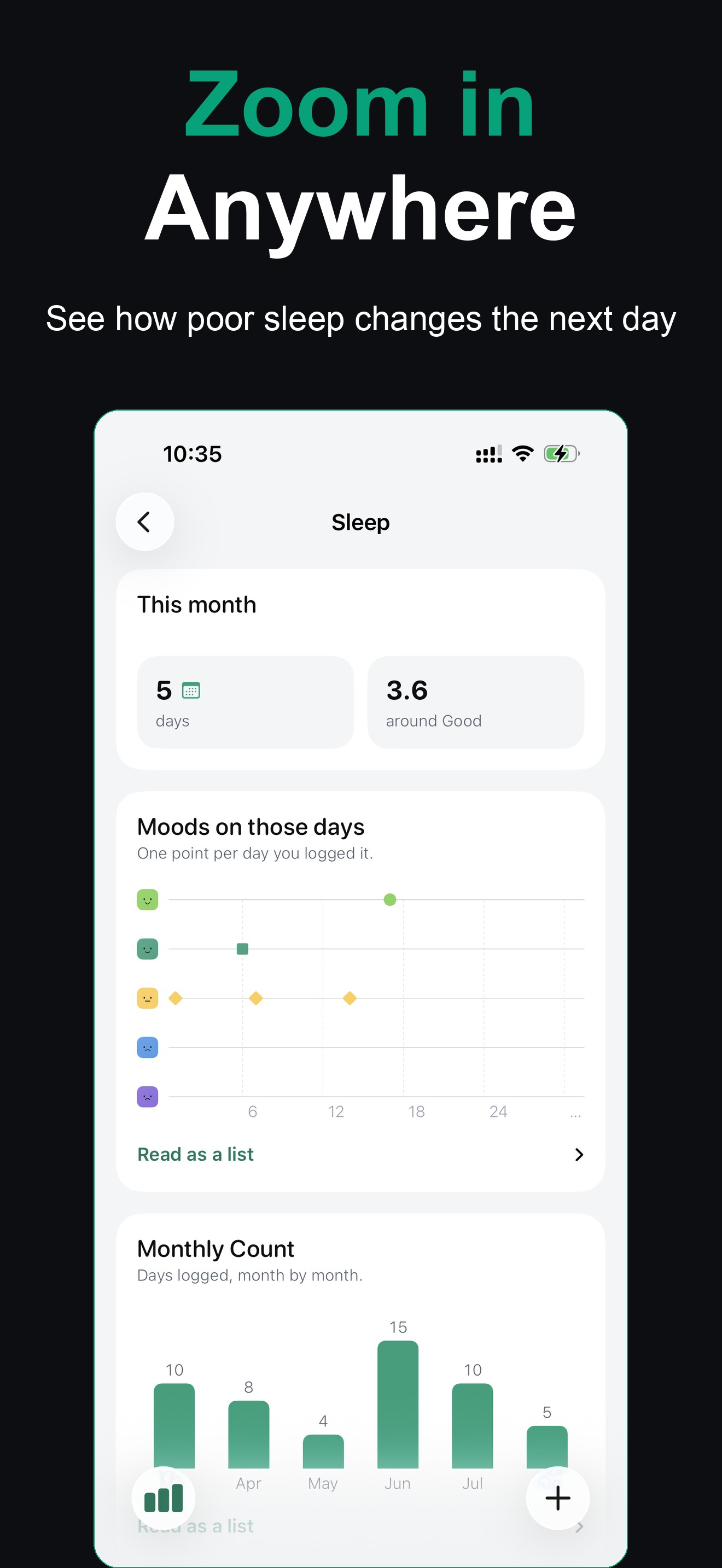
  • Zoom in anywhere: how sleep lines up with mood

    Zoom in anywhere: how sleep lines up with mood

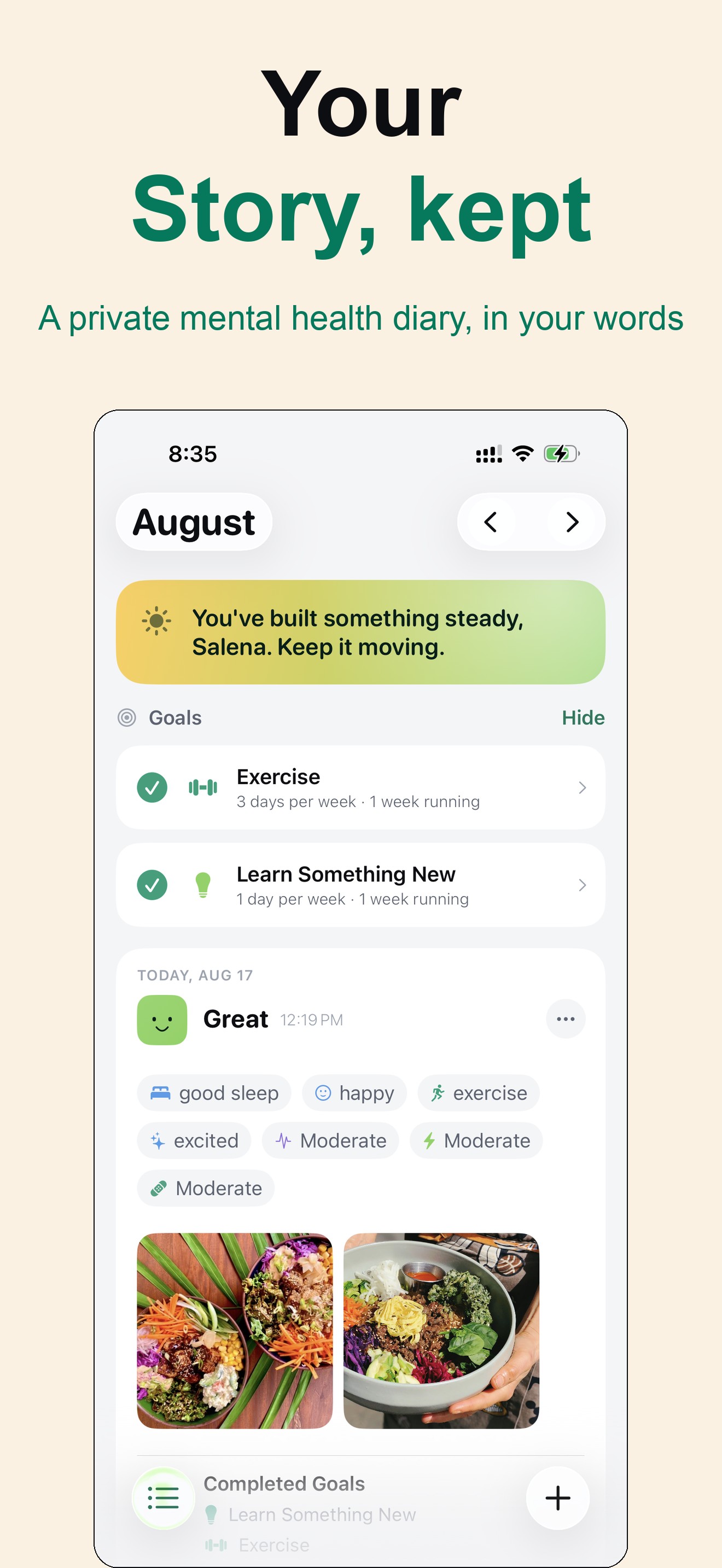
  • Your story, kept: a day’s entry with goals and photos

    Your story, kept: a day’s entry with goals and photos

  • Bad days pass: a year of moods on one screen

    Bad days pass: a year of moods on one screen

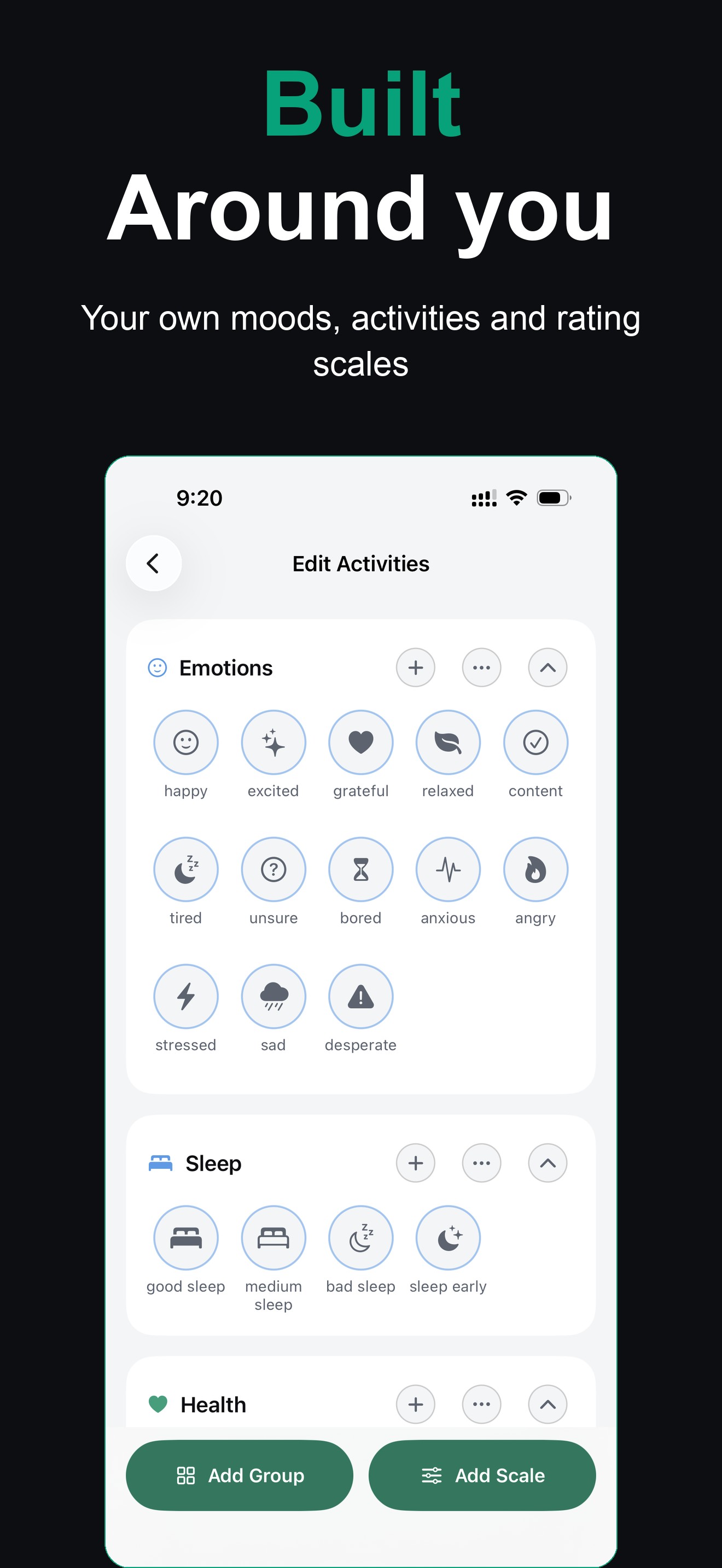
  • Built around you: custom moods, activities and rating scales

    Built around you: custom moods, activities and rating scales

  • Small wins compound: goals, streaks and gentle reminders

    Small wins compound: goals, streaks and gentle reminders

  • Yours alone: no account, no upload, locked with Face ID

    Yours alone: no account, no upload, locked with Face ID

About the developer

Touch 4 Feel is the independent studio of iOS developer Shamim Hossain, making iPhone apps since 2012. The apps are designed, built and supported by one person, with a focus on privacy and on small daily habits that stick.

Press contact

Shamim Hossain, Founder and developer, Touch 4 Feel. Happy to answer questions, arrange Premium or Pro access for review, or send anything that isn’t here.

support@touch4feel.com